Make your effects move in time.
Syrn holds up to eight of your own VST3 effects and rides each one’s mix along a curve you draw, locked to your tempo. A reverb that only blooms on the offbeat. A filter that opens across the bar. A delay that speaks on the last step and goes quiet.
One payment, no subscription. Your serial and the Microsoft Store link arrive the moment you pay. VST3 and Standalone for Windows 10 and 11.
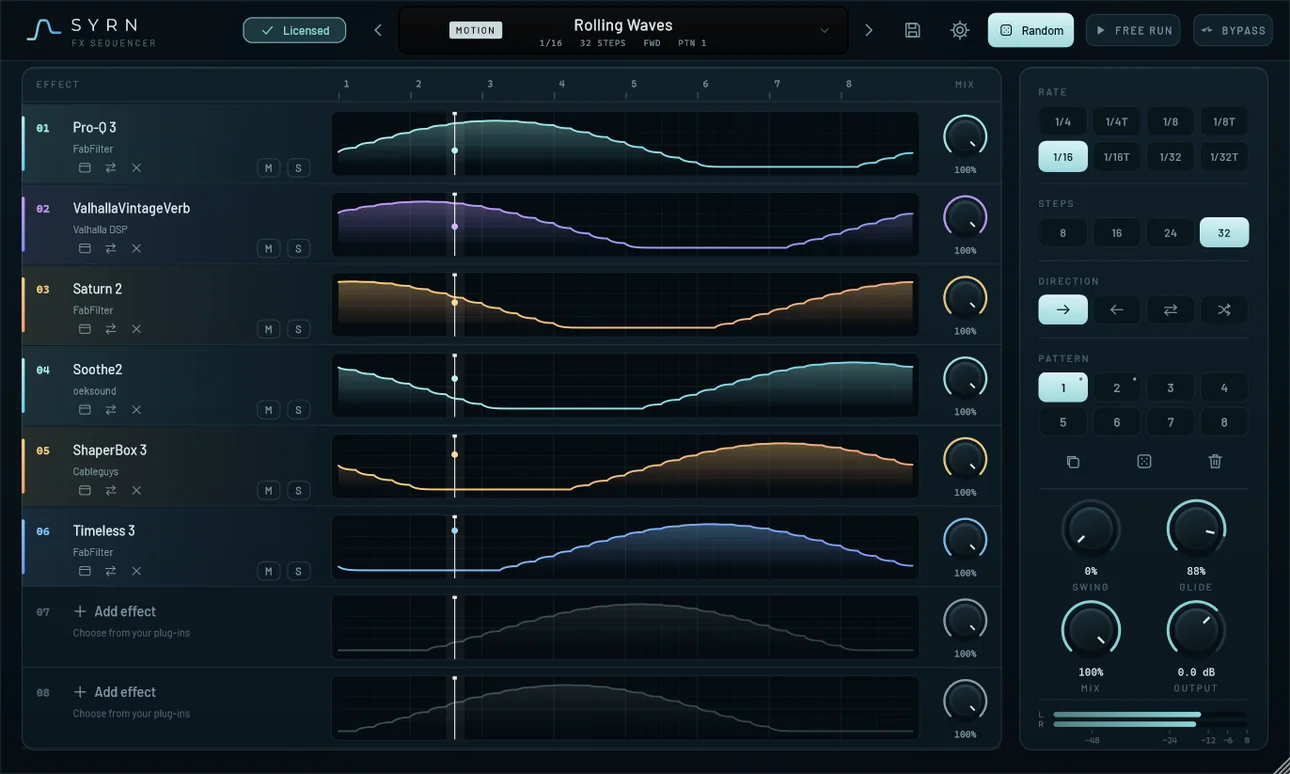
The curve is the mix.
Each lane is one effect. Its line is how much of that effect you hear on every step of the bar. Press play, or drag across the lanes to scrub through them and read the numbers.
Draw it, don’t program it
Shape each curve with the mouse. No MIDI clips, no automation lanes in your DAW, no sidechain tricks to set up.
Pick the pace
Quarter notes down to 1/32, triplets included, over 8, 16, 24 or 32 steps. Run it forward, backward, ping-pong or random.
Smooth, then loose
Glide rounds the steps so nothing clicks. Swing pushes the offbeats late when you want it less like a grid.
Inside the plug-in.
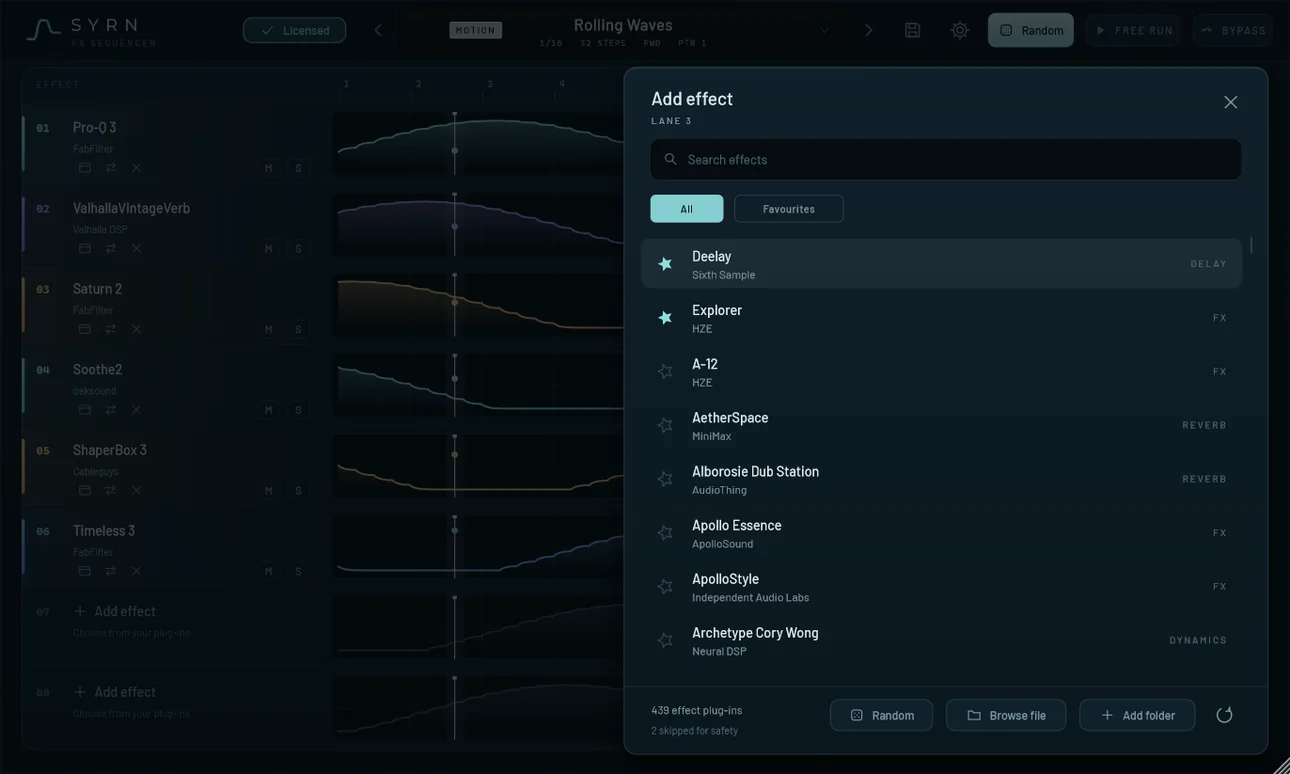
Your plug-ins, already found.
Syrn lists every VST3 effect on your computer, with search and favourites. Scanning runs in a separate process, outside your DAW, so a plug-in that misbehaves can’t take your session down with it.
Instruments are filtered out. What’s left is the things you’d actually put on a bus.
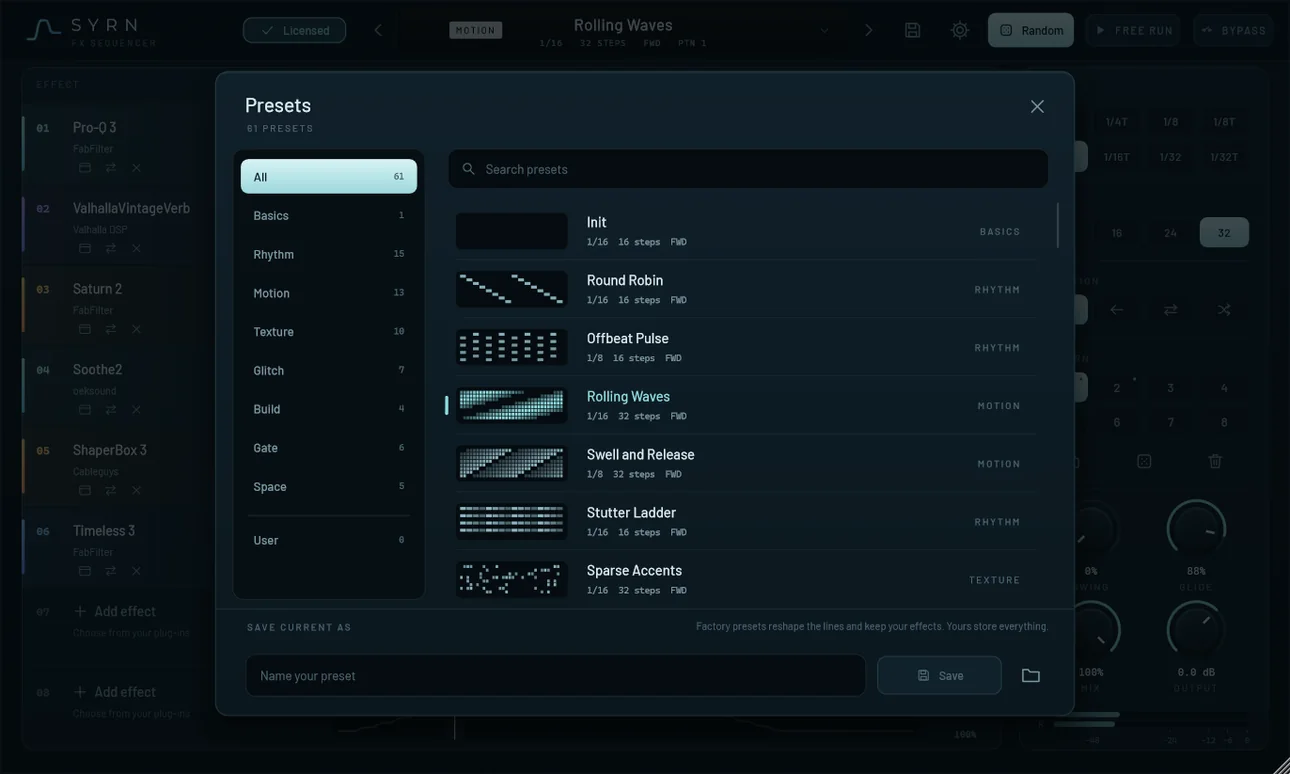
Start from something that moves.
61 factory presets in eight families: Basics, Rhythm, Motion, Texture, Glitch, Build, Gate and Space. Browse them with a thumbnail of each pattern, and save your own beside them. A factory preset reshapes the lines and keeps the effects you loaded. One of your own stores everything.
Not sure where to start? Random fills the empty lanes with effects from your own collection and draws a pattern you probably wouldn’t have.
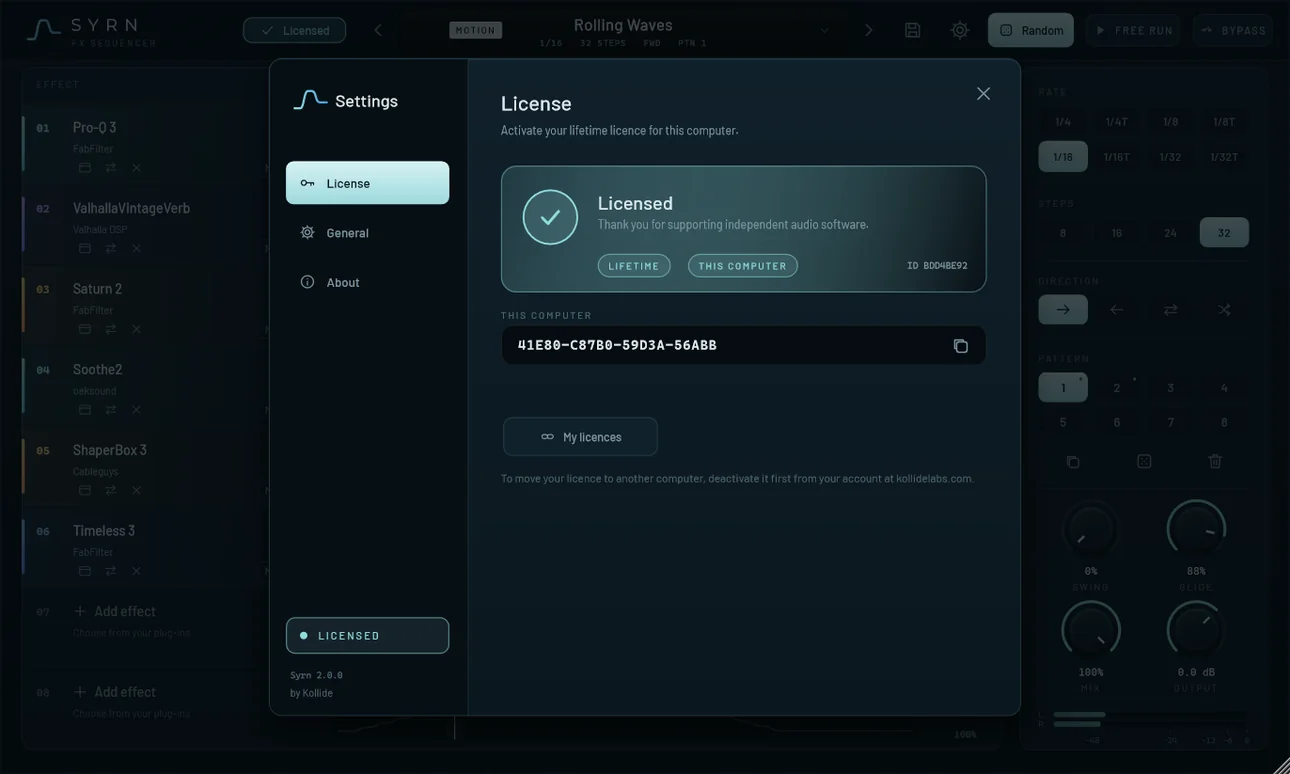
Activate once. Then it’s offline.
Paste your serial and press Activate. Syrn keeps a signed licence file on that computer and keeps working offline. When it is online it checks about once a day that the licence has not been moved or refunded; being offline never locks it. Moving to a new machine? Free the old one from your licence page, once a week.
The details.
- Lanes
- Eight. Each hosts one VST3 effect with its own mix knob, mute and solo.
- Steps and rate
- 8, 16, 24 or 32 steps at 1/4, 1/8, 1/16 or 1/32, straight or triplet.
- Patterns
- Eight per preset. Copy, clear or randomise any of them.
- Direction
- Forward, backward, ping-pong or random.
- Feel
- Swing and glide, plus a global mix and output level with a stereo meter.
- Free run
- Keeps the sequence going when your DAW is stopped.
- Timing
- Compensates for the latency of the effects it hosts, so the dry signal stays lined up.
- Presets
- 61 factory presets with pattern thumbnails. Your own are saved as files you can copy between computers.
- Your project
- Patterns, settings, the effects you loaded and each effect’s own state are saved with the DAW project and come back when you reopen it.
- Safety
- Effects are found by a separate scanner, outside your DAW. If an effect ever outputs broken audio or crashes, only that lane is muted.
- Formats
- VST3 and Standalone on Windows 10 and 11, installed from the Microsoft Store. VST3 on macOS, as a download on your licence page. Hosts VST3 effects, not instruments.
- Licence
- One serial, one computer at a time. Free it from your licence page when you switch machines.
Launch price. It goes back to $90 when the launch ends.
Pay once. It’s yours.
No subscription and no per-year licence. Buy it, activate it, and it works offline for as long as you keep that computer.
- Lifetime licence with all 2.x updates
- VST3 and Standalone for Windows 64-bit
- Serial and receipt by email, and in your account
- Serial and download link the moment you pay
Card or PayPal. Because Syrn is a download, all sales are final.
Questions.
When do I get Syrn?
As soon as your payment is confirmed. Your serial number and the Microsoft Store link appear on your licence page and arrive by email. Until you buy, there is no download.
Why no refunds?
Syrn is delivered instantly as a serial number, and a serial can’t be handed back once it’s been shown to you. At checkout you ask for immediate delivery and agree that this ends the 14-day withdrawal right that EU and UK buyers would otherwise have. If you’re charged twice, or charged and not given a licence, that’s our error and we put it right. Read the full policy.
Which DAWs does it work in?
Any 64-bit Windows host that loads VST3 plug-ins (Windows 10 and 11), plus the Standalone app. Syrn hosts VST3 effects, so the effects you want to use need to be VST3 too.
Is there a Mac version?
Yes, as a VST3 plug-in. It’s an early version that Apple hasn’t signed yet, so the download includes a short install note with a one-line step to unblock it. The Mac download is on your licence page once you’ve bought Syrn.
Can I use it on two computers?
One at a time. Your licence page has a button that frees the computer it’s on, so you can activate it on another. You can move it once a week.
Can it host my DAW’s own effects?
No. Syrn hosts VST3 effect plug-ins. A DAW’s built-in effects (FL Studio’s Fruity plug-ins or Ableton’s devices, for example), VST2 and AAX plug-ins and instruments can’t be loaded into it.
Does it need the internet?
Only to activate. After that it works offline. When it is online it checks about once a day that the licence has not been moved or refunded, and never locks because it could not reach the internet. If a studio machine never goes online, use the offline activation page from any other device.
I lost my serial.
Sign in and open your licence page. Your serial is there: press Show to read it and Copy to paste it into Syrn.
Will it slow my project down?
Syrn itself is light. What you pay in CPU is the effects you load into it, the same as if you’d put them on a track.
Put your effects on a curve.
Eight of your own effects, one drawn line each, locked to your tempo. Pay once and it is yours.
Card or PayPal. Serial in your inbox the moment you pay.